Every site.
A clearer story.
People arrive. Machines move. Work gets done.
SiteTrack brings the day together, so you can see what’s happening and what needs to happen next.
The team arrives. The day begins.
A good day starts
with who’s here.
Your staff need a simple way to start and end their day. You need an attendance record you can actually read.
A dedicated clock-in page keeps the staff experience focused. Attendance, location checks and face verification feed into the workspace for authorised users.
Go to staff clock-in SiteTrack● ● ▰
Ready for the day?
Your site. Your shift.
One clear action.
Example only. No attendance is recorded.
Same company.
Different places.
Lekki today. Ondo tomorrow. Each location gets its own projects, people and picture of the work.
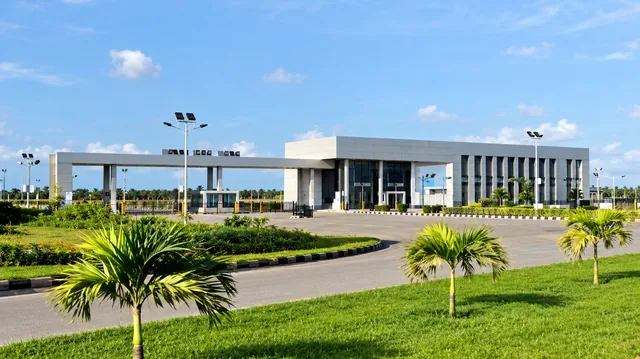
Lekki Free Zone
Projects, staff and resources for this location.
Site works
A sample view of earthworks and site activities at Lekki Free Zone.
Sample progress for this demonstration. This page does not read your live project records.
“How far?”
Now has an answer.
Turn daily reports and approved measurements into a picture of the work. See completed activities, remaining targets and the issues holding a project back.
Earthworks: record the quantities completed, compare them with the target, and submit measurements for review.
Work done. Photos. Measurements. Blockers. One useful report for the people who need it.
The right resources.
The right site.
Track equipment condition and availability, and see where it is assigned.
The machines.
The movement.
The details.
A project runs on more than its schedule. Equipment, truck work and diesel records help explain what it takes to move the work forward.
Bring those records into the same workspace as your projects. See what is assigned, what is available and what needs attention.
A request isn’t the end.
Close the loop.
Give every payment a clear next step—from the person who requests it to the agent who pays it, and back to the person confirming the work is done.
Say what’s needed.
Create a payment request with its reason and amount. The reviewer has the context to make a decision.
Example only. No payment is requested or made.
The day ends.
The picture stays.
People, progress, resources and payment proof—connected to the place where the work happened. Ready for the next decision.
Today, brought together.
A clearer view of the work.
Choose a project and see its approved completion, open issues and items awaiting review.
 BUILDINGS · BRIDGES · ROADS · EARTHWORKS
Before you
get to work.
Can one company manage different locations?
Yes. Locations organise their projects, staff and resources. Select a location to focus the workspace on the work happening there.
Do staff need the full dashboard to clock in?
No. Staff have a dedicated attendance page for clock-in and clock-out. Authorised workspace users can review the records.
How is project progress tracked?
Set up project activities with targets, capture measurements, and review submitted work. Approved measurements contribute to completion, while daily reports add photos and context.
Who handles a payment after approval?
An assigned payment agent records the payment and attaches a receipt. The initiator and approver can view the proof. The initiator confirms when the purpose of the payment has been completed.
Is the information on this landing page live?
The interactive examples on this page are demonstrations. They do not access company records or create attendance, reports or payments. Sign in to access your authorised workspace.
How do I get access?
If you already have an account, sign in below. New users can request an account on the sign-in page; an administrator assigns the role and approves access.
Keep the site
moving.
One clear workspace for the work, the people and the decisions.